> For the complete documentation index, see [llms.txt](https://docs.omni.integratedcommerce.io/llms.txt). Markdown versions of documentation pages are available by appending `.md` to page URLs; this page is available as [Markdown](https://docs.omni.integratedcommerce.io/payment-sdk/theming.md).
# Theming
Match the payment form to your brand with the theme option.
Pass a `theme` object to customize the payment form and its card fields.
```javascript
ic.payment.v1.mount({
sessionId: "...",
container: "#payment-container",
theme: {
primary: "#7c3aed",
primaryHover: "#6d28d9",
borderRadius: "8px",
textColor: "#111827",
},
});
```
## Theme examples
{% columns %}
{% column %}
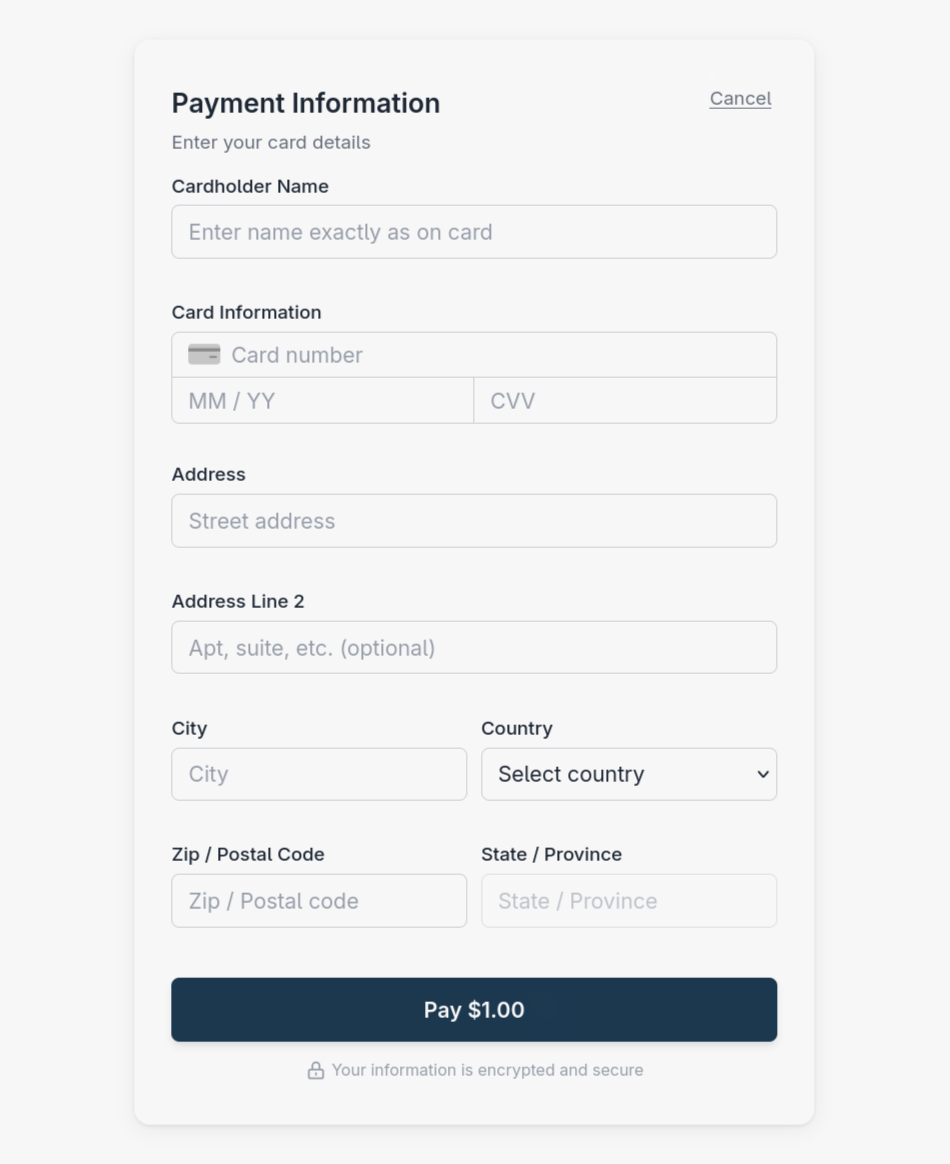
A light appearance for the payment form.
{% endcolumn %}
{% column %}
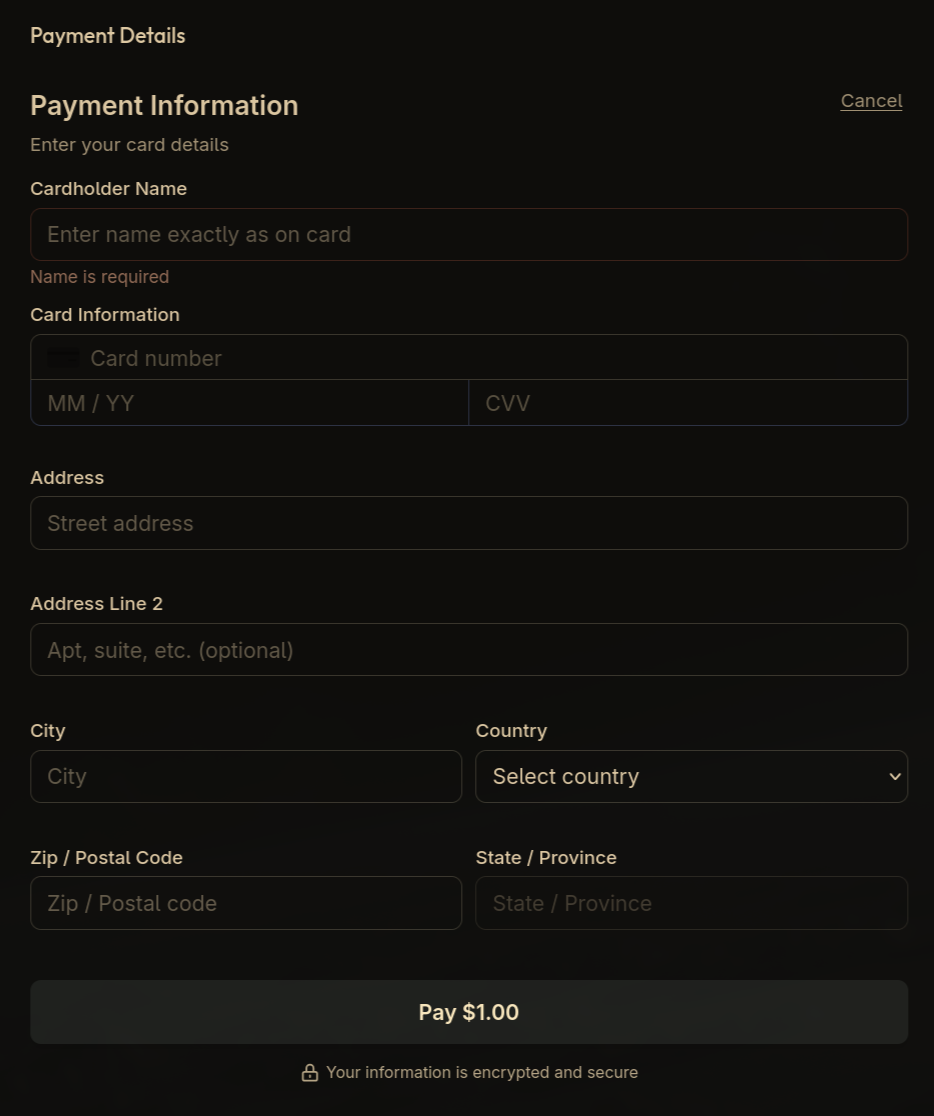
A custom theme applied to a checkout with a dark background.
{% endcolumn %}
{% endcolumns %}
## Why theming is the only styling route
The form is a Custom Element with Shadow DOM, so your page's stylesheets do not reach inside it. That isolation is deliberate: it keeps the card fields visually predictable and prevents your CSS from accidentally hiding or overlaying them.
{% hint style="warning" %}
Do not try to reach into the component with `::part`, `!important`, or DOM traversal. Internal structure is not a supported API and can change between SDK releases. If `theme` does not cover something you need, contact .
{% endhint %}
## Accessibility
Theme colours are yours to choose, which makes contrast your responsibility. Keep text and interactive elements at a contrast ratio of at least 4.5:1 against their background - a payment form that a customer cannot read is a payment you do not take.